
DashAI: from an Excel file to an explained dashboard in a few minutes
We're launching DashAI, an AI agent that turns a CSV or Excel export and a plain-language request into an interactive dashboard with a written analysis.
A 4,000-row export lands in the morning, the meeting is at 2 pm, and nothing is ready. Dates are typed three different ways, some customers appear twice, amounts are missing. You'd need to open a BI tool, or spend the morning on pivot tables. In a lot of companies this happens every week or every month.
That's the moment we built DashAI for. It's available today at dashai.exypnos.dev.
What DashAI does
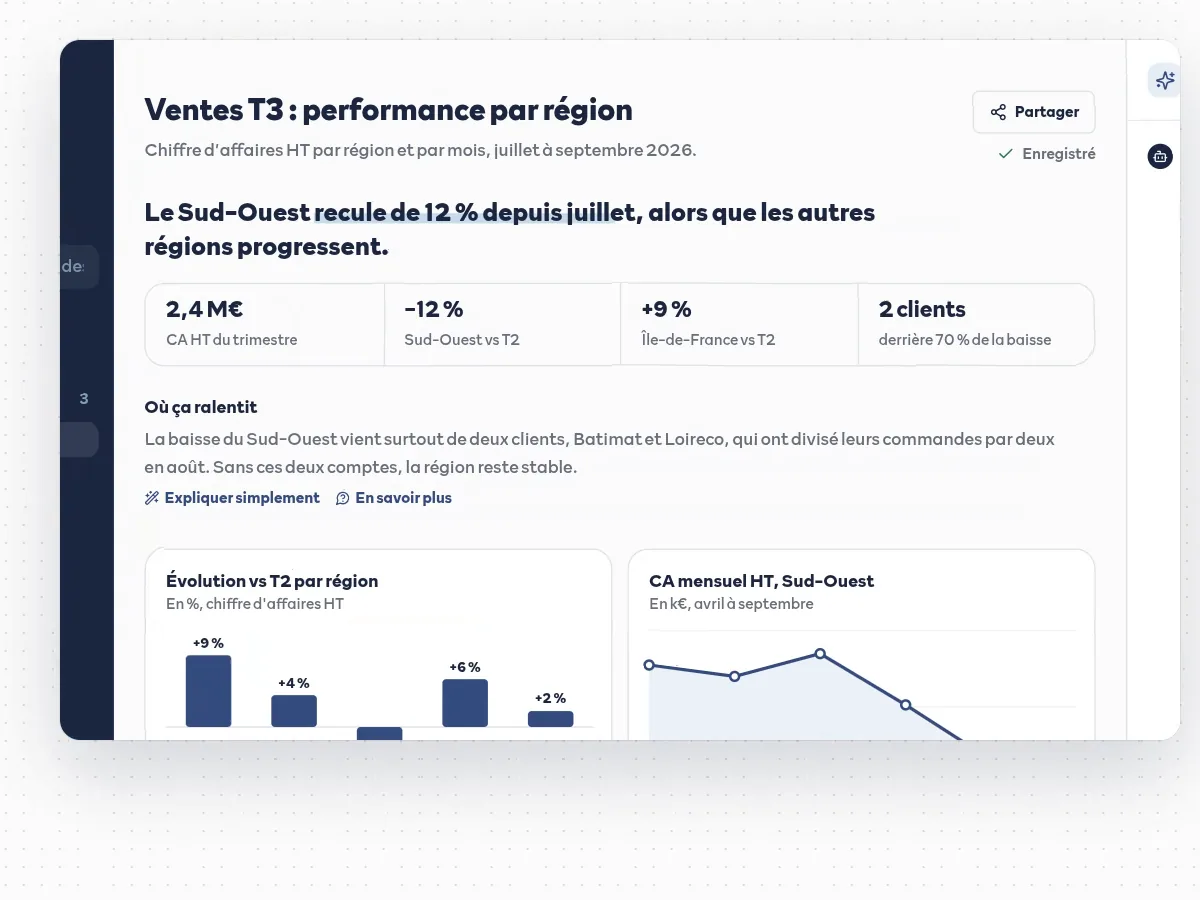
You upload a CSV or Excel file, describe in your own words what you want to see ("show me which regions are slowing down", for example), and the agent builds the dashboard: key metrics, charts suited to the data, and a written analysis that explains what went up, what went down and why.
How it works
- Understand: the agent reads the file's columns and your request. When something is unclear (is a "value" column revenue or units?), it asks you instead of guessing.
- Prepare: it writes the cleaning code (date formats, duplicates, empty cells) and runs it in an isolated sandbox. If the code fails, it fixes it on its own.
- Build: it picks, among 12 chart types, the ones that best tell your data's story, and writes the analysis in plain language.
- Adjust: you move and edit charts, or ask the AI directly to add one, remove one or explain a figure.
Next month, the comparison is automatic
Every analysis lives in a project. When you upload next quarter's export into the same project, DashAI can build on the earlier analyses: the charts and the text point out what changed between periods, without redoing the formatting work.
Sharing the result
A dashboard can be shared through a read-only link that the recipient opens without an account, or exported to PDF and HTML with the written analysis as an appendix. The link can be turned off or regenerated at any time.
Who it's for
Managers, financial controllers, sales leads and consultants who regularly receive exports and have to present them, without an analyst or a BI tool at hand. No formula or coding skills needed.
Data and pricing
- The code the agent writes runs in an isolated container with no network access, destroyed after use and never shared between users.
- CSV and multi-sheet Excel files up to 10 MB, interface in French and English.
- Credit-based pricing: a credit is only used when a dashboard is generated successfully. No subscription, and new accounts start with 10 free credits.
You can try DashAI now at dashai.exypnos.dev with your own file. If you need a dashboard connected directly to your systems (ERP, databases), or a version tailored to your business, get in touch: that's the kind of project we build to measure.